 ConvertFormats
The problem it solves
Copy a few paragraphs out of Word and paste them into WordPress, Gmail or a Markdown editor. What arrives is a tangle of font tags, colour codes, empty paragraphs and links that go through a redirect. Cleaning that by hand takes longer than writing the paragraphs did.
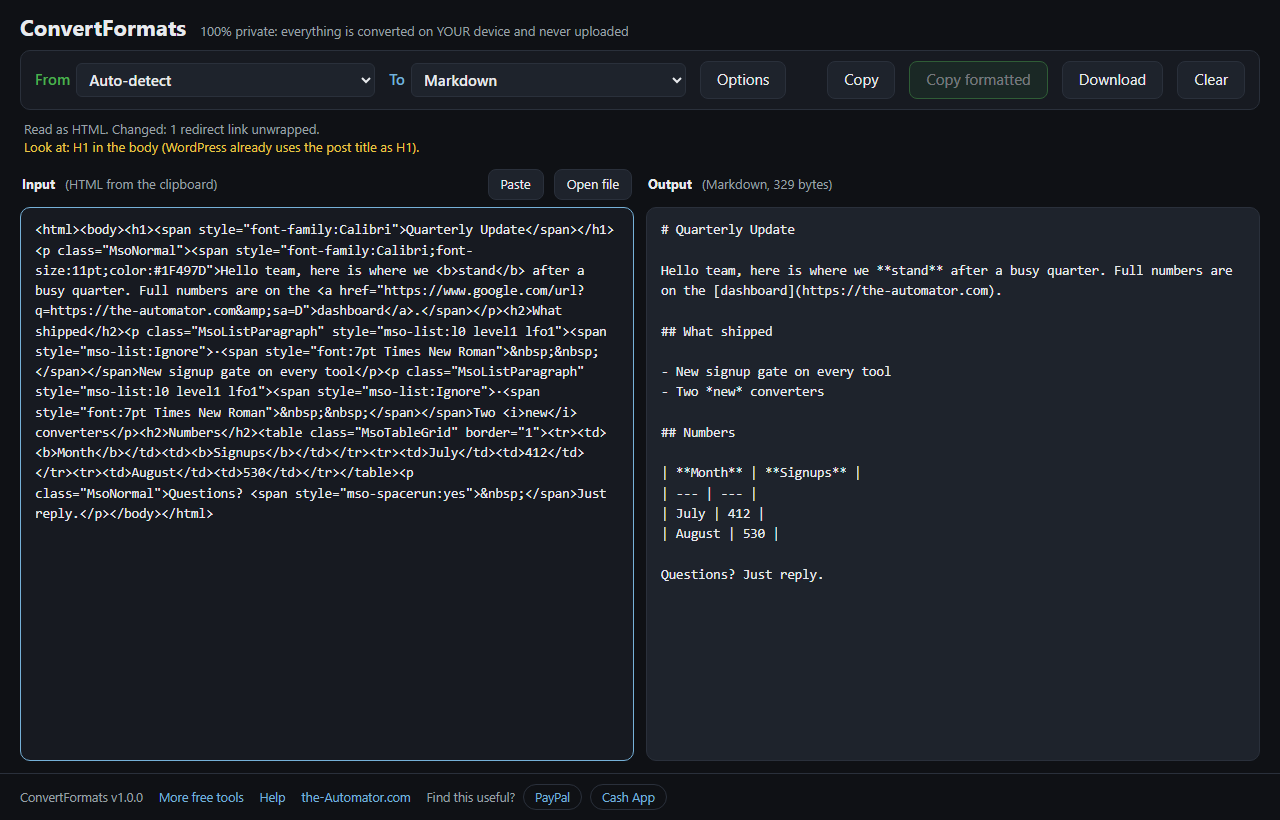
I built this because I do that move every week for my own newsletter and blog. The tool reads what Word (or Google Docs, Outlook, a web page, a spreadsheet) put on your clipboard, throws away the baggage, keeps the meaning, and writes it out in the format you actually need.
How it works
- Copy in Word, Google Docs, Outlook, your browser, Excel or Google Sheets.
- Paste into the Input box, or drop a .html, .rtf, .md, .txt, .csv or .tsv file on it. The tool works out what it is.
- Pick the output under To. The right-hand box updates as you change it. Options let you adjust quotes, dashes, headings, how plain text handles links and tables, and more.
- Take it with you. Copy takes the output as code. Copy formatted takes it as rich text, so Word, Gmail and the WordPress Visual editor paste it with its formatting. Download saves a file.
What you can get out
Clean HTML for the WordPress Code editor or any CMS: semantic tags, no styles, no classes. Email HTML is the same thing with inline styles, which is what Gmail and Outlook need, and it warns you when a message is long enough for Gmail to clip. WordPress blocks wrap every paragraph, heading, list and table in its block comment so the block editor takes it as native content.
Markdown for notes apps, GitHub, Obsidian and AI chats, with tables written as pipe tables. RTF gives you a file that opens in Word, LibreOffice, TextEdit or Google Docs with real headings, real lists, links and tables. Plain text keeps its shape: links become numbered footnotes with the addresses at the end, tables are drawn with aligned columns, and you can wrap lines at 72 characters for a text-only email.
CSV and TSV pull the tables out of your text as spreadsheet files. The reverse works too: paste a range of cells from Excel or Sheets and ask for a Markdown or HTML table. Slack, WhatsApp and Discord each get a message in that app's own style of bold, italic and links, with tables turned into monospace blocks because none of the three can show a real table.
Repairing a PDF paste
Text copied out of a PDF, an old email or a terminal arrives with a line break every 70 characters or so. ConvertFormats glues those lines back into paragraphs while leaving lists, quotes, indented code and short title lines alone. A word split with a hyphen at the end of a line is put back together, and lone page numbers are dropped.
It also fixes garbled characters, the kind where an apostrophe shows up as three strange symbols because a file written in one encoding was read in another.
What it tells you
Under the toolbar the tool reports what it read the input as and what it changed: images removed, redirect links unwrapped, tracked changes accepted, quotes straightened. Then it lists things worth a look before you publish: a link whose text is just "click here", a placeholder address, a heading level that jumps from 1 to 3, an image with no alt text, a leftover TODO.
That list is the part I use most. It catches the small mistakes that slip through when you are moving fast.
Why I ask for your email
Not because of your text. The conversion runs entirely in your browser, so nothing you paste is uploaded and I never see it.
The email lets me know who is using the tool, and I might send you a note now and then about other free tools I build. I will never sell or give your email to anyone else.
Questions people ask
Is it free?
Yes. No account fees, no limits, no API key.
Is my text uploaded anywhere?
No. Everything runs inside your browser on your own device. Nothing is uploaded and nothing is stored on a server. Pasted web pages and emails are read without loading their images, so tracking pixels never fire.
Can I drop a .docx or a PDF on it?
Not directly. Open the file in Word or your PDF reader, select all, copy, and paste here. The tool reads what Word puts on the clipboard, which is better than reading the file.
Why can't I copy RTF to the clipboard?
Browsers can only put plain text, HTML and pictures on the clipboard. Copy formatted gives you the same content as rich text, which Word pastes fine. Use Download when you need the .rtf file itself.
My spreadsheet paste was read as plain text.
Set From to TSV (for a paste from Excel or Sheets) or CSV. Auto-detect needs at least two rows with the same number of columns.
Which browser should I use?
Any current browser works. Chrome and Edge also support the Paste button that reads the clipboard directly; elsewhere, click in the box and press Ctrl+V.